> For the complete documentation index, see [llms.txt](https://docs.understand.tech/llms.txt). Markdown versions of documentation pages are available by appending `.md` to page URLs; this page is available as [Markdown](https://docs.understand.tech/api-reference/create-api-key.md).
# Create API Key
The Understand Tech API provides secure, scalable access to your AI assistants, allowing enterprises to integrate AI capabilities directly into their **own applications, workflows, or platforms.**
Designed with **security and ease of use in mind**, the API enables businesses of all sizes—from startups to global corporations—to:
* **Take full control of AI**: Programmatically manage assistants, data, and workflows.
* **Customize AI to specific needs**: Tailor prompts, knowledge bases, and assistant behavior through API calls.
* **Integrate securely**: All requests are encrypted, ensuring private and safe interactions.
Our mission is to make AI as easy to use as possible. With the API, developers can **create, deploy, and extend AI assistants** without worrying about infrastructure, complex configurations, or security compliance.
> Think of it as the “backend power” behind our no-code platform—giving you the flexibility to connect AI wherever your business needs it, while keeping it secure and private.
### 1. Generate your API Key
{% stepper %}
{% step %}
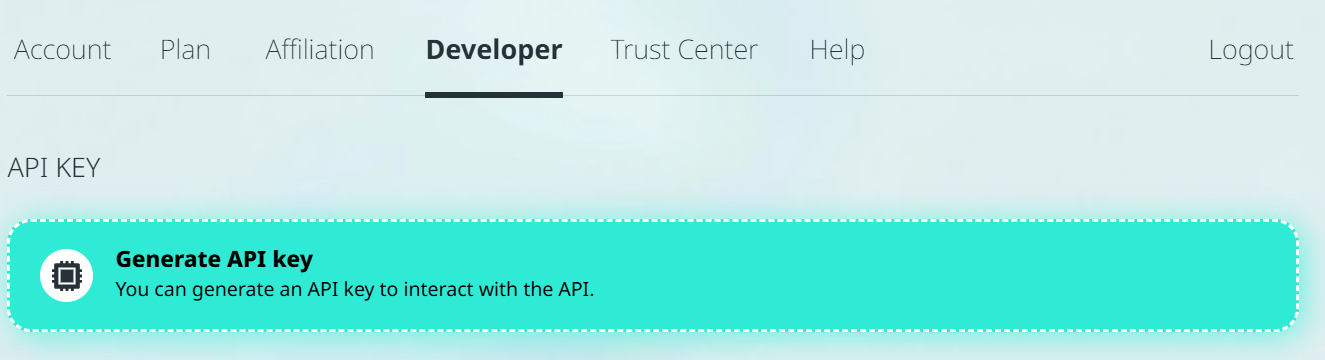
Go to **Workspace -> Developer** and click on **Generate API key.**
{% endstep %}
{% step %}
Once it is created it will show on the same page. **Copy that code** and open the [**interactive API Docs**](https://developer.understand.tech/api/v3/docs) (from below)**.**
{% endstep %}
{% step %}
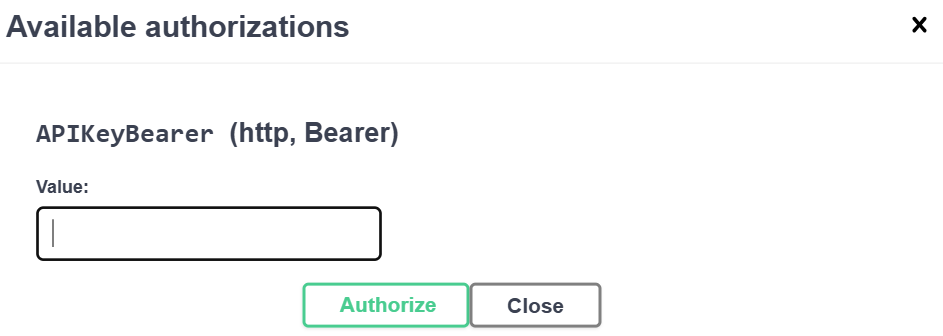
Click on **Authorize** on the right.
{% endstep %}
{% step %}
Enter your **API key** and click again on **Authorize.**
{% endstep %}
{% endstepper %}
Done! 🎉
{% hint style="success" %}
We recommend you to use **Version 3**, which is the latest version.
{% endhint %}
***